5.1 — Module 5
TransitionSay this
Transition: "Module 5."
My notes
Presenter study handout
3 contact hours · 0.3 AOTA CEUs · Module 5 · 21 slides
Presenter-side material. Each block shows the slide as the audience sees it, the talk track, and space for your own notes. Model answers appear here — do not hand this version to learners.
Say this
Transition: "Module 5."
My notes
Say this
Open here. "The Low-Vision Service Model." Usable vs. non-usable vision, and the environmental modifications that change performance today.
Say why this section matters for their caseload, then advance.
My notes
Say this
Ask the poll: "Which low-vision strategies have you already used?"
Options:
• Increased lighting or contrast
• Magnification or larger print
• Text-to-speech or audio support
• Tactile or non-visual substitution
• None of these yet
Take a show of hands or the on-screen tally, then name the pattern you see before advancing.
My notes
Say this
Frame the slide: "Two categories of clients drive two different plans."
Walk each point, one sentence each:
• Usable vision — the client can still use residual vision functionally with the right supports.
• Non-usable vision — vision cannot be relied on as the primary channel; other senses and strategies carry the task.
• For vision users: increase visibility, enhance visual components, and augment with other sensory input.
• The same environment can be modified for both groups at once — lighting and contrast changes rarely conflict.
Point at the figure while you talk — name the parts before the labels.
Close with: "If you only take one of these back, take the first one."
My notes
Environment
The page
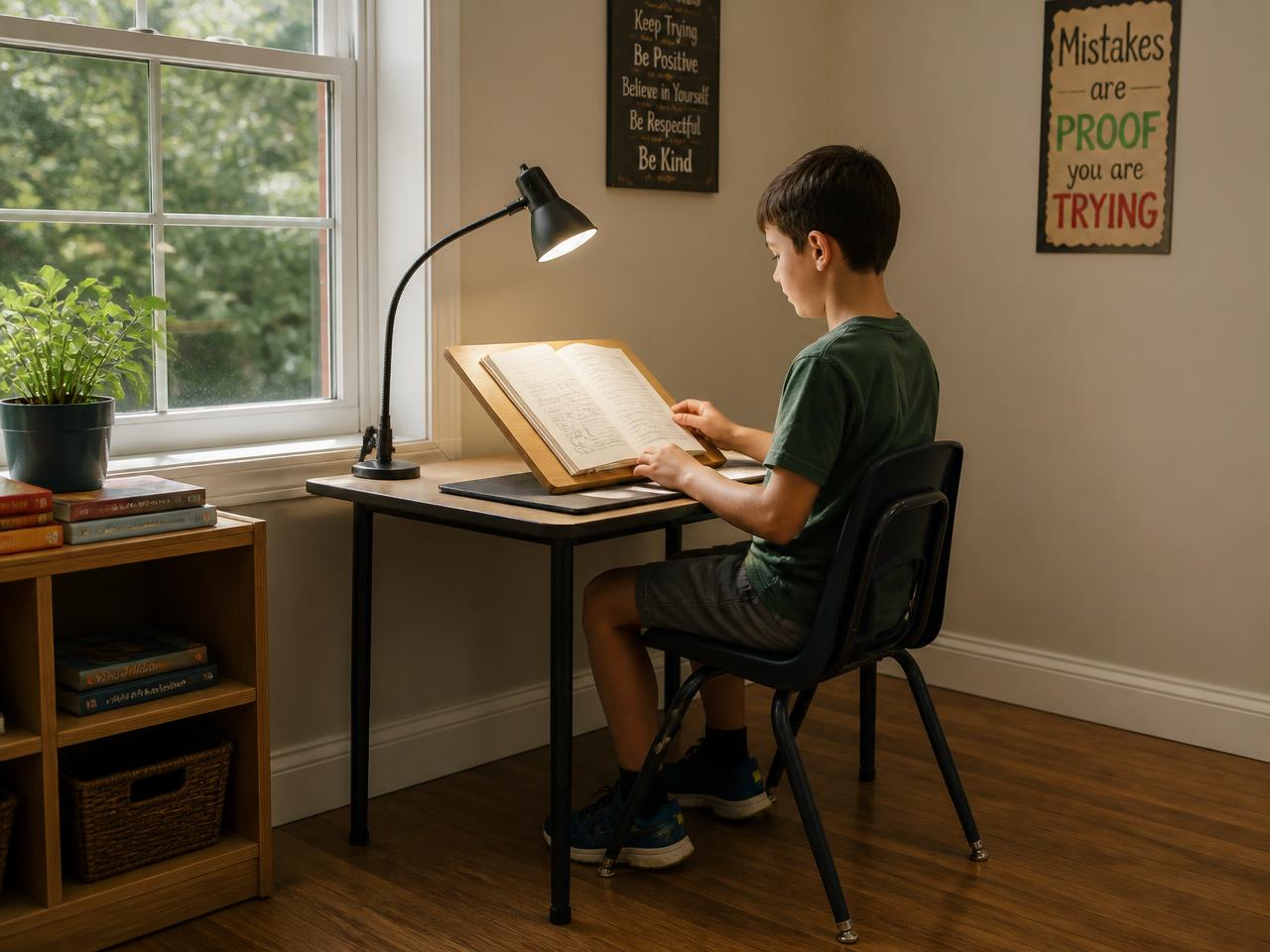
Window beside or behind
Never seat a student facing an unshaded window — silhouetting collapses page contrast.
Task light on the working side
Directed onto the page from over the non-writing shoulder to avoid hand shadow and specular glare.
Matte surface + slant board
A non-glare mat and an angled surface raise effective contrast without changing the material.
Say this
Contrast the two columns: Environment versus The page.
Environment:
• Preferential seating closer to the front / instructional materials
• Appropriate lighting; avoid glare; face away from windows
• Minimize patterned backgrounds and visual clutter
• Encourage large, bold, black-marker writing on whiteboards
The page:
• Enlarge text; use large print where possible
• Maximize print contrast — black on white or white on black
• Use a familiar, bold typeface; avoid decorative or superfluous fonts
• Provide high-contrast stickers or labels for materials
Ask: "Which column is your student living in right now?"
My notes
Window beside or behind
Never seat a student facing an unshaded window — silhouetting collapses page contrast.
Task light on the working side
Directed onto the page from over the non-writing shoulder to avoid hand shadow and specular glare.
Matte surface + slant board
A non-glare mat and an angled surface raise effective contrast without changing the material.
Say this
Frame the slide: "Lighting is a modifiable variable, not a fixed constraint."
Walk each point, one sentence each:
• Light from behind, over the shoulder, close to the reading surface — avoid shadowing.
• Use full-spectrum lighting where possible; avoid glossy paper that creates glare.
• Use typoscopes (line-isolation windows) and colored overlays/filters when they measurably improve performance.
• Improper lighting causes glare, shadows, and strain that compound both low vision and visual-processing deficits.
Point at the figure while you talk — name the parts before the labels.
Close with: "If you only take one of these back, take the first one."
My notes
Say this
Contrast the two columns: Real-world contrast values versus What this means for classrooms.
Real-world contrast values:
• Exit sign: ~80% contrast
• Newspaper print: ~71–75% contrast
• Currency: ~55–60% contrast
• Gray car in shade: ~32% contrast
• Maroon chair on maroon carpet: ~5% contrast
What this means for classrooms:
• Everyday materials sit far below the contrast a low-vision student needs
• High-contrast worksheets change access, not just comfort
• Contrast-sensitivity tools (e.g., Lea Low Contrast Chart) quantify it
• Pair contrast fixes with figure-ground support
Ask: "Which column is your student living in right now?"
My notes
Say this
Talk over the visual: "What those contrast values actually look like."
Say the caption in your own words: The same worksheet line at ~90%, ~70%, ~40%, and ~10% contrast, plus reverse and tinted variants — hold a student handout next to these before assuming the print is usable.
My notes
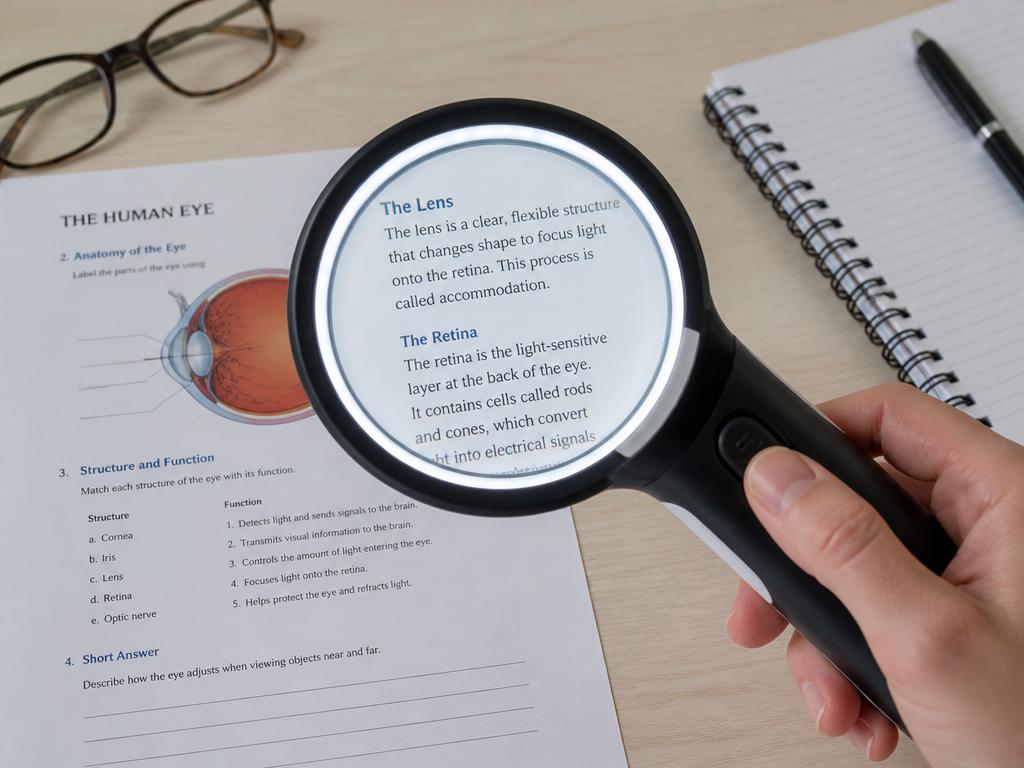
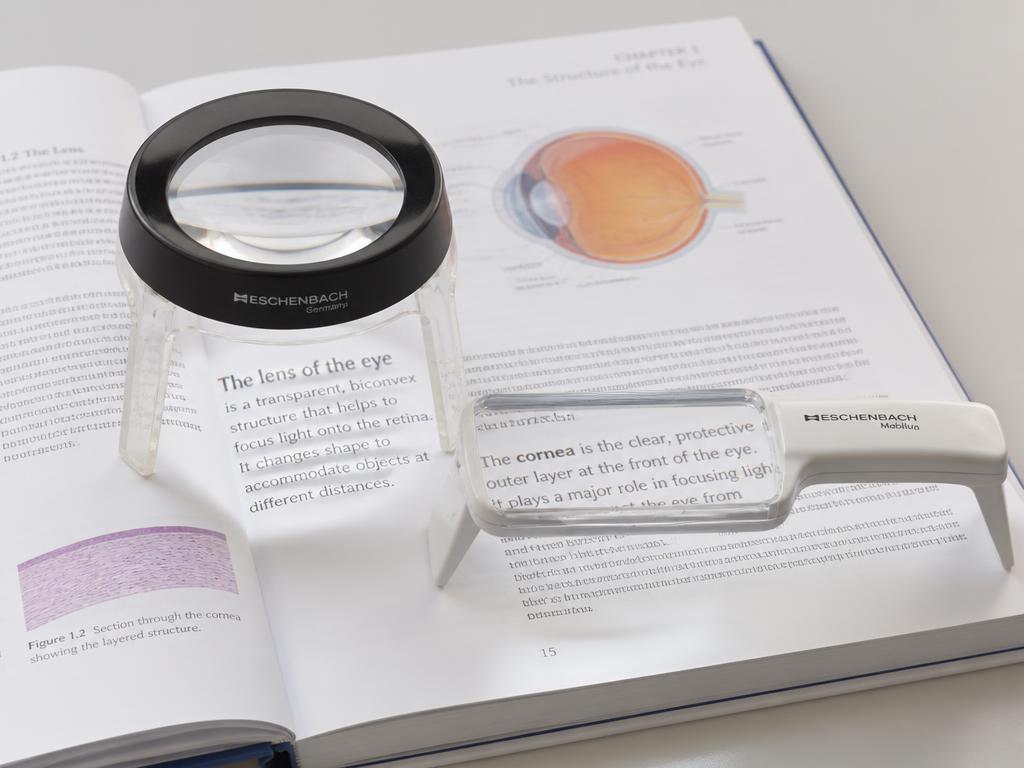
Handheld magnifier
Short spot tasks: price tags, labels, a single line of text.
Portable and cheap; requires a steady hand and short focal distance.
Stand magnifier
Sustained near work for students with tremor or poor motor control.
Fixed focal distance holds the lens steady; less portable, needs desk space.
Hands-free / spectacle
Writing and bimanual tasks where both hands must stay free.
Prescribed by the eye care team; very short working distance at high power.
Telescope (mono/binocular)
Distance targets: the board, signage, a demonstration across the room.
Spot use only — narrow field, not for travel or continuous viewing.
Electronic / video magnifier (CCTV)
Long reading and writing sessions; textbooks, worksheets, science labs.
Adds adjustable magnification, reverse contrast, and speech; cost and setup.
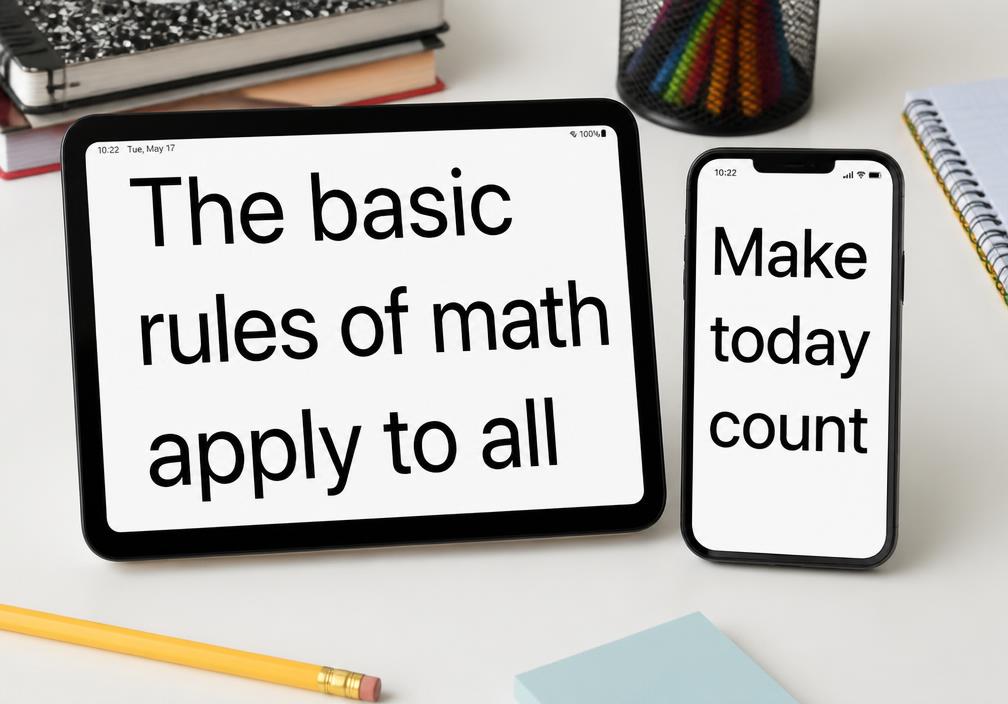
Built-in digital magnification
Phone/tablet zoom, text enlargement, VoiceOver, screen readers.
Already in the student’s hands and free; teach it before purchasing hardware.
Say this
Talk over the visual: "Magnification options, side by side."
Say the caption in your own words: Handheld, stand, spectacle/telescope, electronic (CCTV), and built-in digital magnification — each with its own working distance and field trade-off.
My notes
Say this
Frame the slide: "Low vision: what OT addresses, and when OT refers."
Walk each point, one sentence each:
• Diagnosed acuity loss: magnify, enlarge, control working distance, seat for the task.
• Documented contrast loss: high-contrast materials, bold-line paper, glare control.
• Documented field loss: scanning patterns, anchoring, materials in the intact field, O&M collaboration.
• Refer when the loss is undiagnosed, correction is unverified, or anything is new or worsening.
Point at the figure while you talk — name the parts before the labels.
Close with: "If you only take one of these back, take the first one."
My notes
Optical and electronic magnification
Everyday and digital AT
Handheld magnifier
Short spot tasks: price tags, labels, a single line of text.
Portable and cheap; requires a steady hand and short focal distance.
Stand magnifier
Sustained near work for students with tremor or poor motor control.
Fixed focal distance holds the lens steady; less portable, needs desk space.
Hands-free / spectacle
Writing and bimanual tasks where both hands must stay free.
Prescribed by the eye care team; very short working distance at high power.
Telescope (mono/binocular)
Distance targets: the board, signage, a demonstration across the room.
Spot use only — narrow field, not for travel or continuous viewing.
Electronic / video magnifier (CCTV)
Long reading and writing sessions; textbooks, worksheets, science labs.
Adds adjustable magnification, reverse contrast, and speech; cost and setup.
Built-in digital magnification
Phone/tablet zoom, text enlargement, VoiceOver, screen readers.
Already in the student’s hands and free; teach it before purchasing hardware.
Say this
Contrast the two columns: Optical and electronic magnification versus Everyday and digital AT.
Optical and electronic magnification:
• Handheld, stand, and hands-free magnifiers for near tasks
• Telescopes (binocular or monocular) for distance viewing
• Electronic magnification (desktop or portable) adds adjustable contrast and screen-reader options
• Stronger magnifiers require shorter focal distances — fit to task, not preference alone
Everyday and digital AT:
• Built-in phone/tablet accessibility features: text enlargement, voice-over, magnifier
• Screen magnifiers/readers (e.g., ZoomText, JAWS); text-to-speech and speech-to-text apps
• Slant boards to reduce glare and improve writing visibility
• Contrast tape on steps/furniture edges; tactile graphics for spatial tasks
Ask: "Which column is your student living in right now?"
My notes
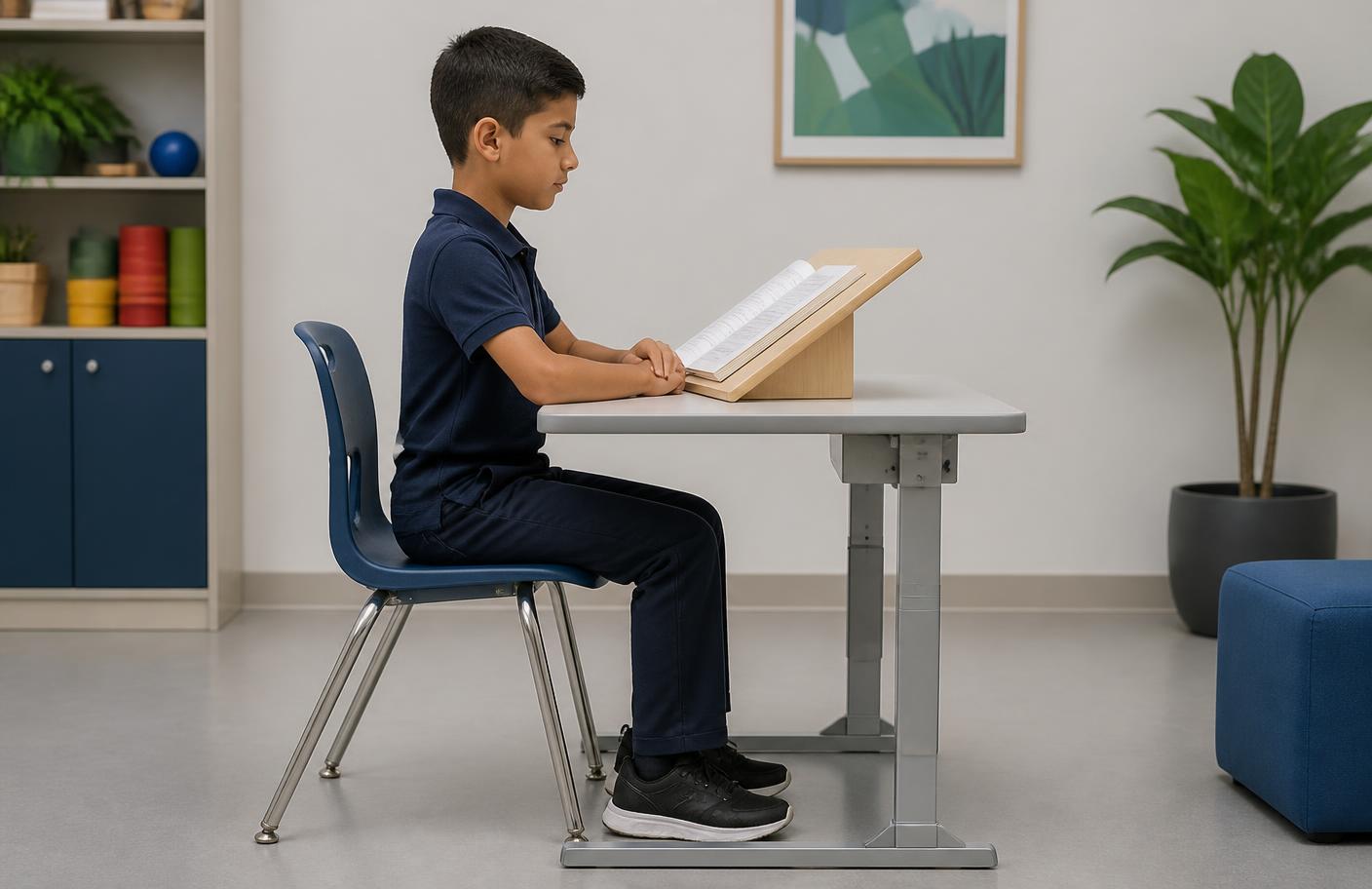
Reference posture
Feet flat, hips and knees near 90°, elbows at desk height, trunk upright and off the table.
≈40 cm at midline
A slant board holds the page at a consistent distance and angle; note any habitual 15–20 cm posture.
What to document
Head tilt, page rotation >30°, one eye closing, or distance shortening as the task lengthens.
Say this
Frame the slide: "Organization, mobility, and multisensory support."
Walk each point, one sentence each:
• Teach organization strategies (one master notebook, home/school large-print duplicates, time management).
• Refer to Orientation & Mobility (O&M) specialists when mobility or navigation is affected; allow extra transition time.
• Augment with tactile cues (markings on notebooks, tactile technology cues) and auditory input (screen readers, voice-to-text).
• Multisensory pairing — visual instruction plus verbal or tactile cues — supports both low-vision and visual-processing needs simultaneously.
Point at the figure while you talk — name the parts before the labels.
Close with: "If you only take one of these back, take the first one."
My notes
Say this
Read the scenario aloud, slowly:
A student has documented low vision (usable, functional vision with correction) and a separate visual-processing profile with figure-ground weakness. The IEP team asks for one classroom modification plan.
Then put these questions to the room:
• Which three modifications from this module serve both profiles at once?
• What would you measure before and after the modifications to show they worked?
Give 60 seconds of think time before you take answers. Model answers are in the panel beside this script.
My notes

Two lines define one body space, so the writing target is on the page instead of in the head.
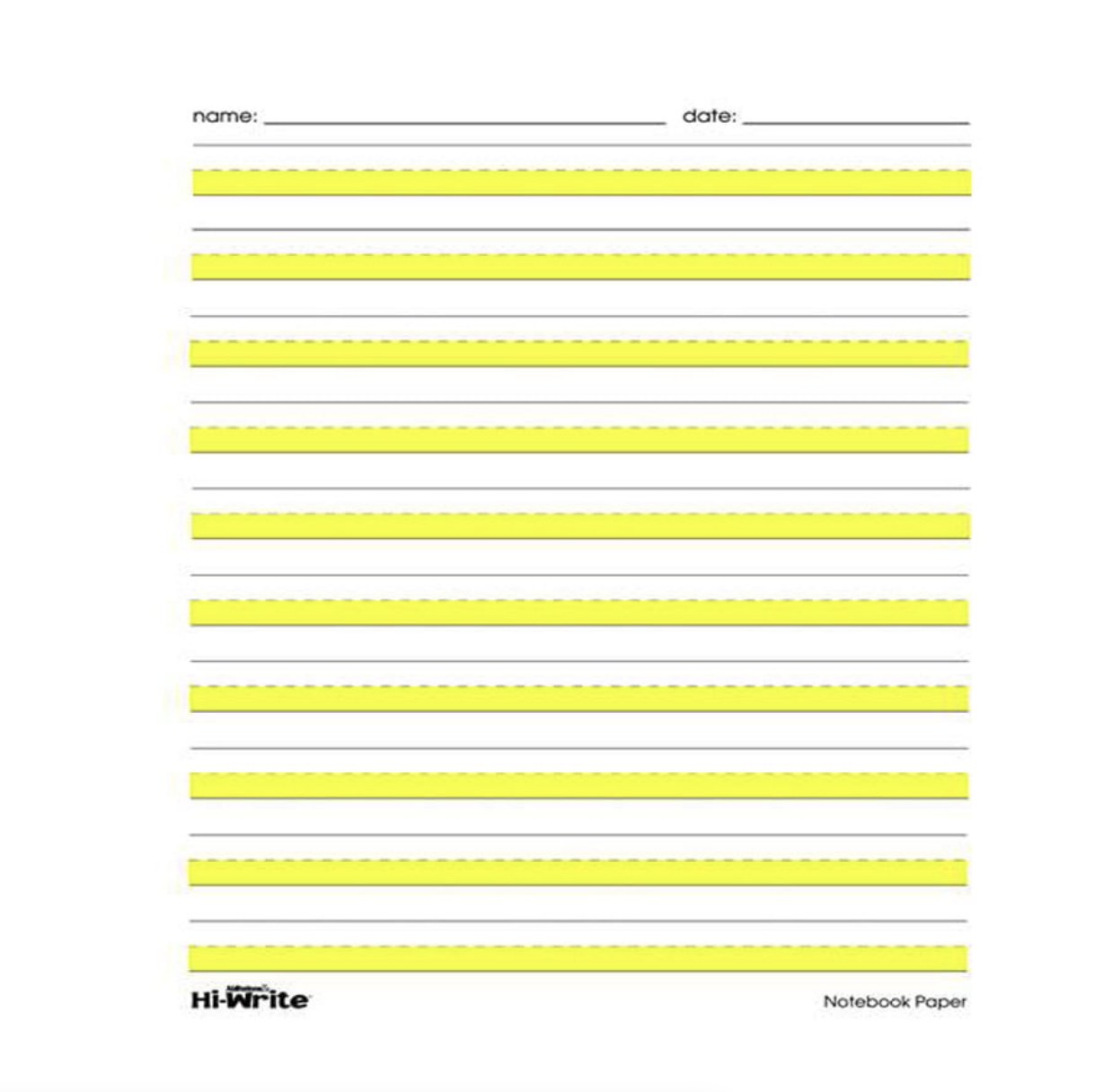
A high-contrast band fills the body space; the baseline becomes a boundary, not a guess.
Two-line paper is already a visual support; highlighting the body space adds contrast for students with documented access needs. Plain or three-line paper is the confusing option. Both of these are Level 1 access modifications you can put on the desk today.
Say this
Set up the contrast: "Paper choice is a visual support."
Point at the before panel first. Two lines define one body space, so the writing target is on the page instead of in the head.
Then the after panel. A high-contrast band fills the body space; the baseline becomes a boundary, not a guess.
Say the rule out loud: Two-line paper is already a visual support; highlighting the body space adds contrast for students with documented access needs. Plain or three-line paper is the confusing option. Both of these are Level 1 access modifications you can put on the desk today.
Ask: "What did we change — the child, or the demand?"
My notes
Say this
Set up the clip in one sentence, play it, then debrief with "what did you notice?"
My notes
Say this
Talk over the visual: "Where low vision sits in the framework."
Say the caption in your own words: Low vision is a Level 1 access problem. Contrast, lighting, and magnification restore the floor so the higher levels can be measured at all.
My notes
Say this
Land the "so what": When you change the environment and output improves the same day, you have learned something about the student, not just helped them.
Explain the mechanism plainly: A demand mismatch responds immediately to a change in demand; a capacity limit does not.
Then give them the moves — say each one as something they can do Monday:
• Change one variable — clutter, layout, distance, or lighting — and record the result.
• Give the teacher one modification, not five, so the result is interpretable.
• Write the response to modification into your reasoning as evidence.
Tell them what success looks like: No change after a clean modification trial — escalate to structured assessment.
Ask: "Who has a student this describes right now?" Take one answer, then move.
My notes

Overlapping papers, patterned surface, busy wall directly behind the work.
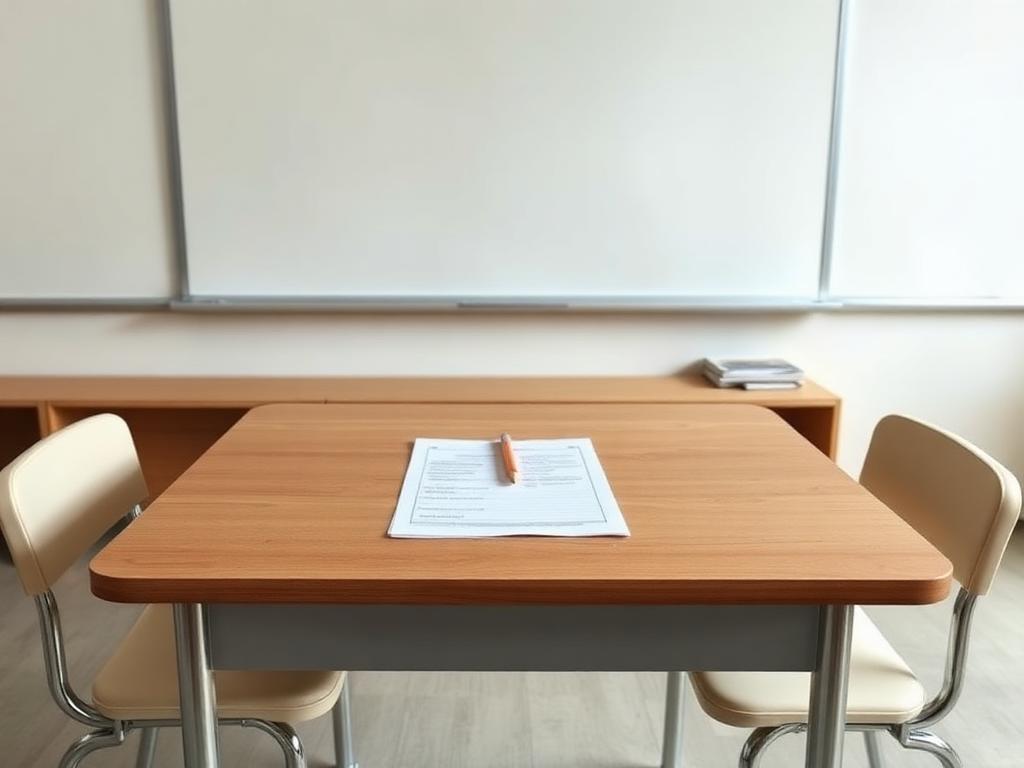
One page, one tool, plain background, work placed in midline.
Change one variable at a time. If output improves with clutter removed, you have found a demand problem, not a capacity problem.
Say this
Set up the contrast: "Visual clutter: the same student, two desks."
Point at the before panel first. Overlapping papers, patterned surface, busy wall directly behind the work.
Then the after panel. One page, one tool, plain background, work placed in midline.
Say the rule out loud: Change one variable at a time. If output improves with clutter removed, you have found a demand problem, not a capacity problem.
Ask: "What did we change — the child, or the demand?"
My notes
Say this
Two-minute case. Read it aloud:
You want to help a student who cannot copy from the board. The teacher offers to move his seat, enlarge the print, give him a printed copy, and add a slant board all at once.
Put the question to them: "What do you ask her to do instead, and why?" Give 60 seconds, no talking.
Model answer (reveal after they commit): Start with the printed near copy alone for a week and record completion, because it removes the far-to-near transition entirely. If output normalizes, the far-near shift is the demand; if it does not, add the next single change. Bundling four modifications gives you a happier student and no information.
Close with the rule: Stack modifications for support, but trial them one at a time when you need an answer.
My notes
Say this
Reflection prompt: "Choose one occupation from your caseload or life. Describe one modification at each of the four low-vision levels for that occupation."
Offer the sentence starter: "For [occupation]: increasing visibility means... enhancing the signal means... substitution means..."
Think for one minute, write, then take two shares.
My notes
Say this
Knowledge check: "Which strategy is an example of "enhancing" the visual signal?"
Options:
• Adding a desk lamp
• Using a handheld magnifier
• Listening to an audiobook instead of reading
• Adding high-contrast tape to stairs
Correct answer: option 2. Rationale: Enhancing the signal means magnifying the target or bringing it closer. Adding light is increasing visibility; audiobooks are substitution; high-contrast tape is increasing visibility.
My notes